A complete picture of who can access what in your Microsoft 365 — no guesswork.
A desktop app that scans SharePoint Online and OneDrive in your tenant and builds a complete map of permissions. It runs read-only, and results stay on your workstation — nothing goes outside.
Tenant-wide permission map
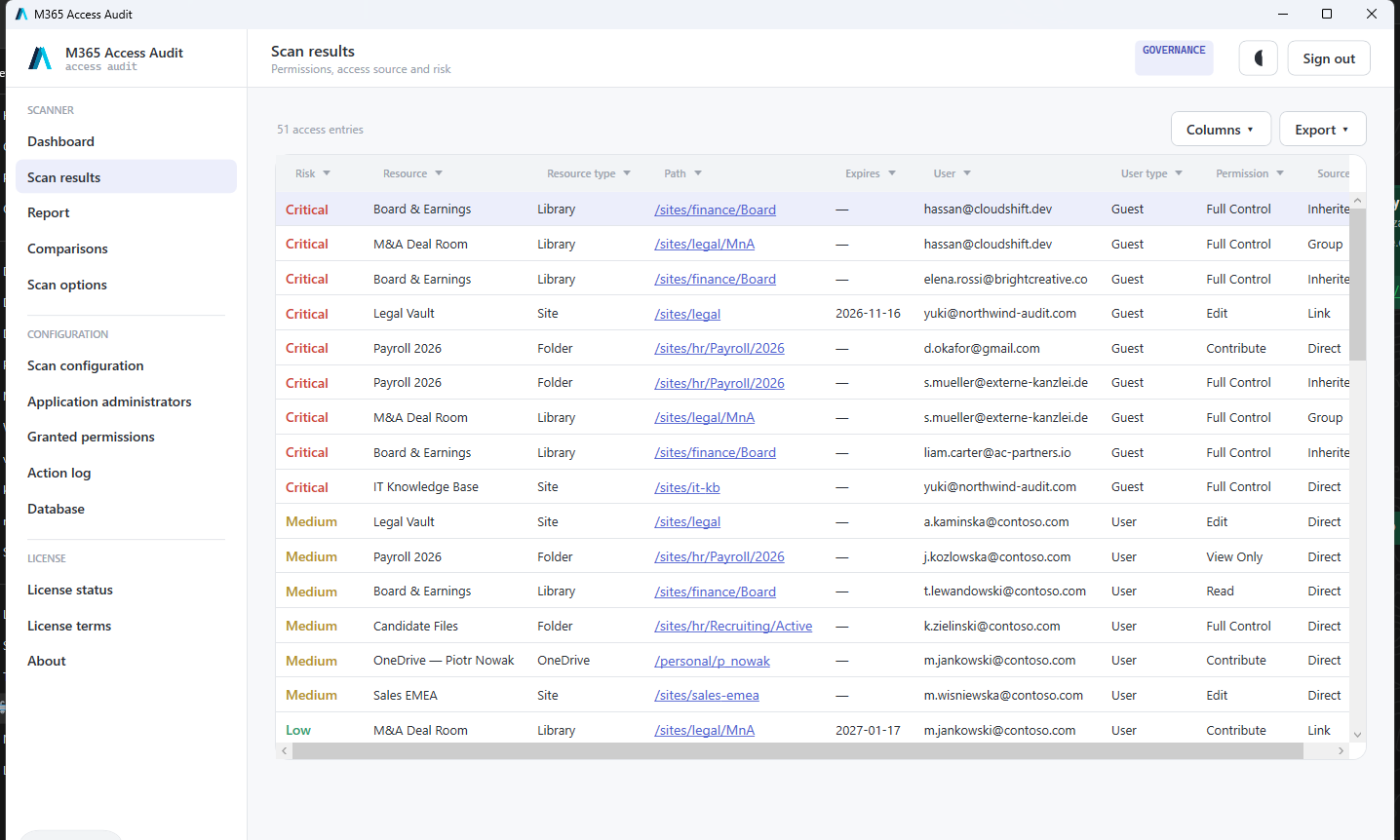
See every site, library and file together with who can access it — in one place.
Inheritance chain
For every resource, trace exactly where a permission comes from — group, inheritance or direct grant.
B2B guests & external links
Detect guest accounts and sharing links outside your organisation — the most common leak.
Full feature list
Everything the app can do — in one place.
SharePoint & OneDrive audit
Permissions across every site, library and file — tenant-wide.
Inheritance chain
The source of every permission: SharePoint groups (Owners/Members/Visitors), Entra groups, direct grants, broken inheritance.
B2B guests & external links
Guest accounts, “anyone” and anonymous links. “External only” filter.
Automatic risk scoring
Critical / High / Medium / Low classification with configurable criteria.
Full tenant scan
Unattended (app-only) mode: every site and every user's OneDrive. The certificate and private key never leave the workstation.
Recurring scans
Run audits on a schedule and build a history of your access posture.
Scan comparison
Differences between two scans — new permissions, new guests, revoked access.
Report — pivot table
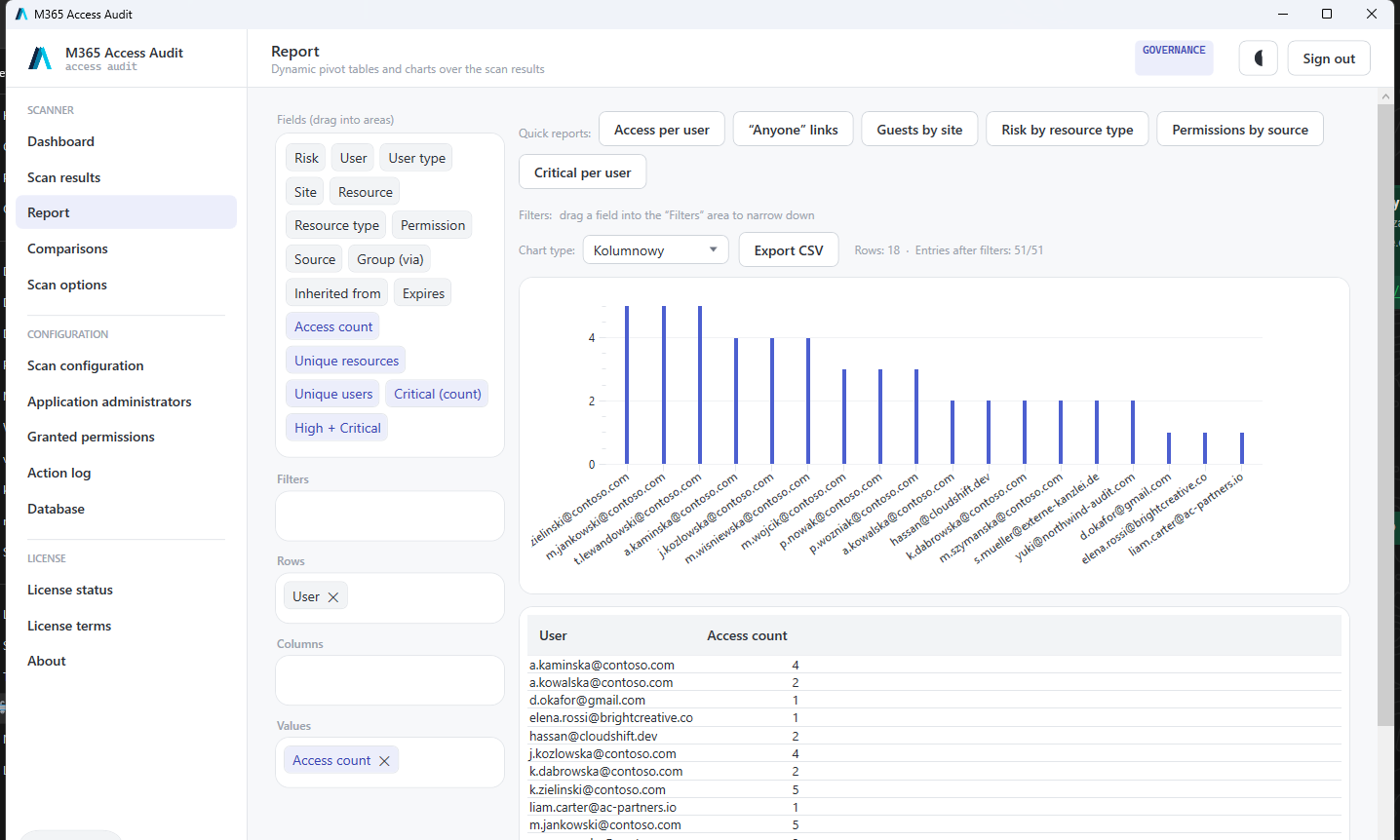
A dynamic pivot report: group and filter permissions by any dimension (department, access type, risk).
CSV export
UTF-8 with BOM, ready for Excel and further analysis.
PDF export
A clean report for auditors and management.
SQL database export
Historical dump to SQL with duplicate protection (station + tenant + scan id) — for BI and long-term analysis.
Governance — remediation
Revoke and expire access, approval queue (operator ≠ approver), action log, write-back to the tenant. (Governance plan)
Privacy & security
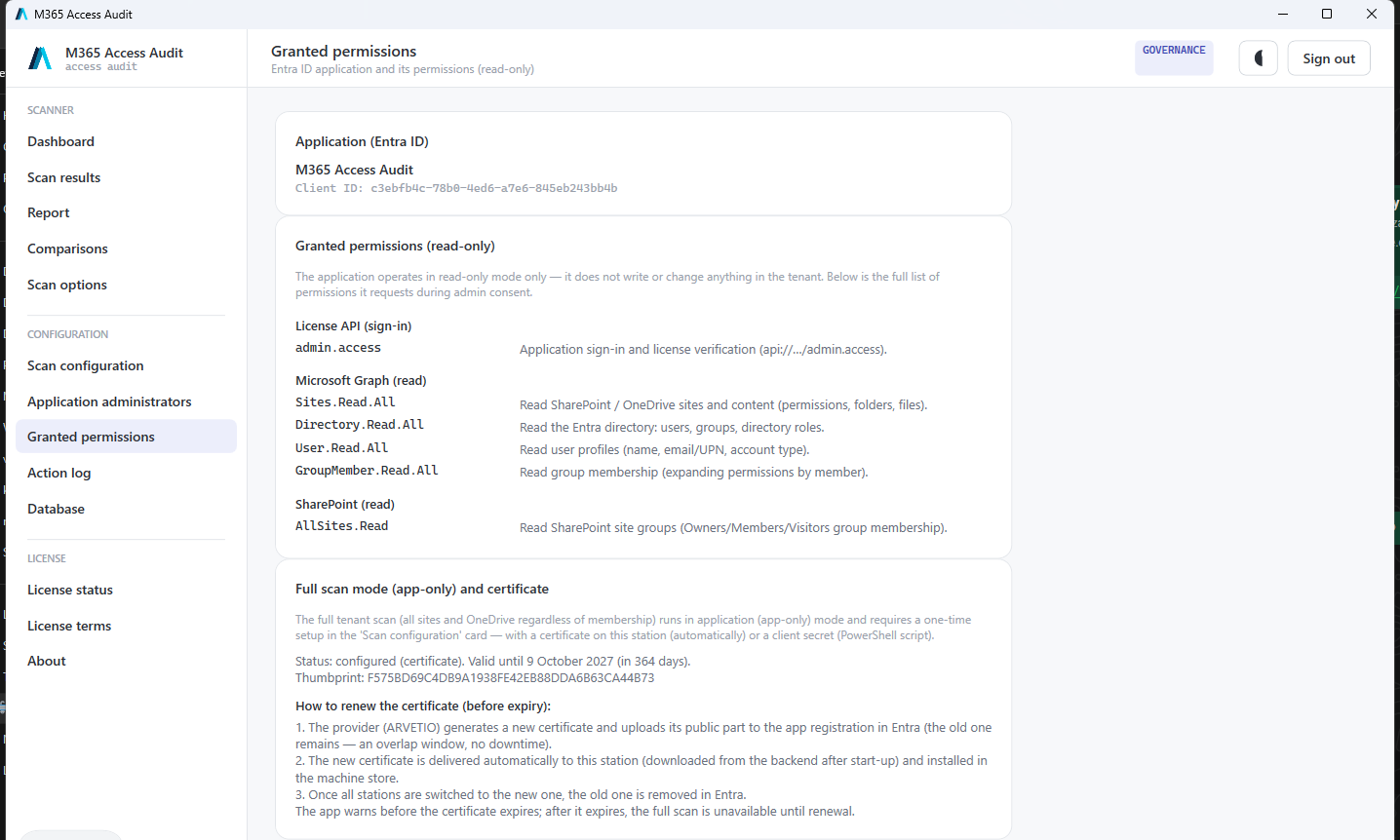
Read-only, encrypted local database (SQLCipher), data never leaves the workstation, ES256-signed licence with offline buffer.
Export & integrations
Take audit results wherever you need them — Excel, PDF, SQL database, pivot table.
- CSV export — UTF-8 with BOM, ready for Excel and further analysis.
- PDF export — A clean report for auditors and management.
- SQL database export — Historical dump to SQL with duplicate protection (station + tenant + scan id) — for BI and long-term analysis.
- Report — pivot table — A dynamic pivot report: group and filter permissions by any dimension (department, access type, risk).
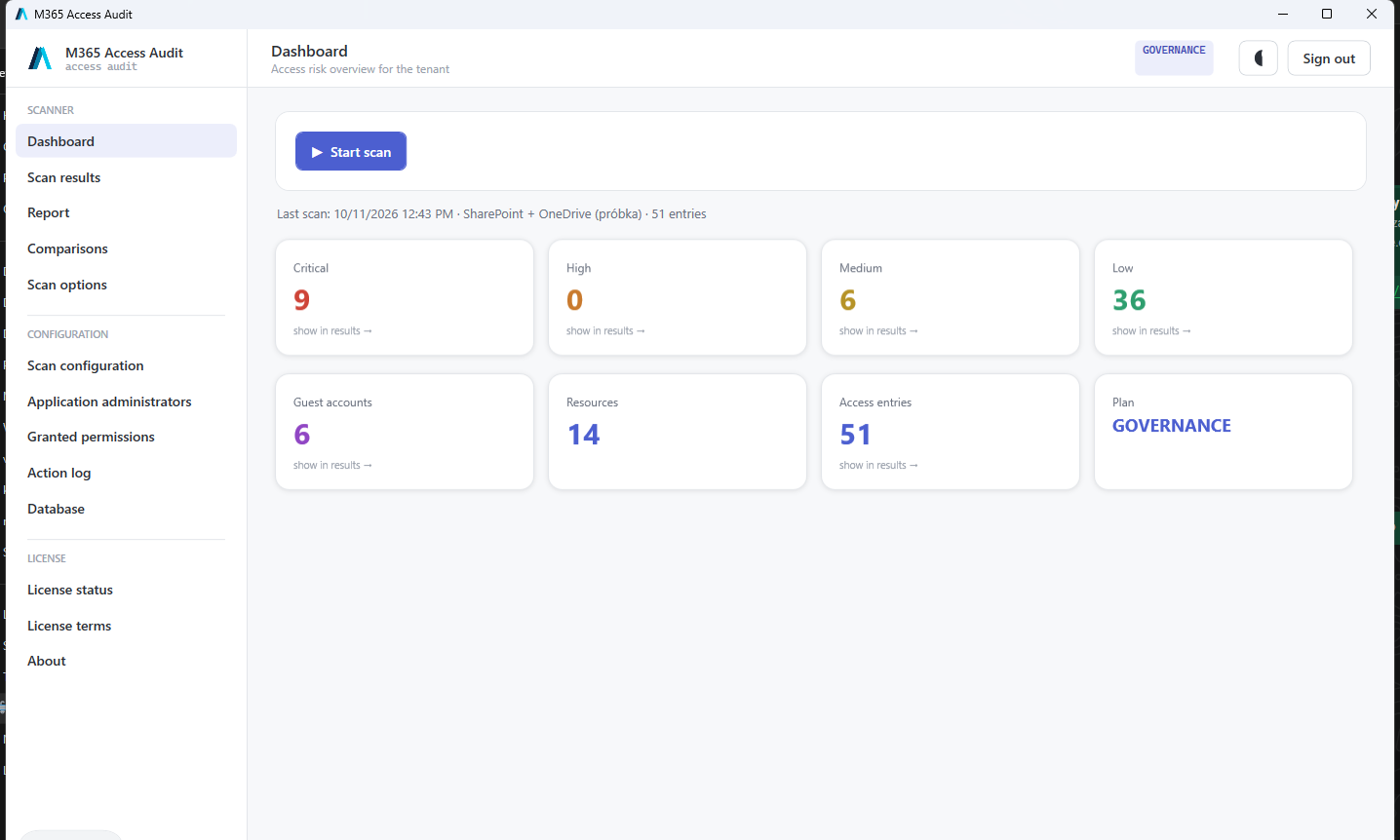
Product screenshots
Real application views (sample data). Click to enlarge.
Pricing
Loading pricing…
Requirements & details
- Windows 10/11 (.NET desktop app)
- Microsoft 365 account with read permissions
- Annual licence, subscription model